

Table of Contents
Native Apps
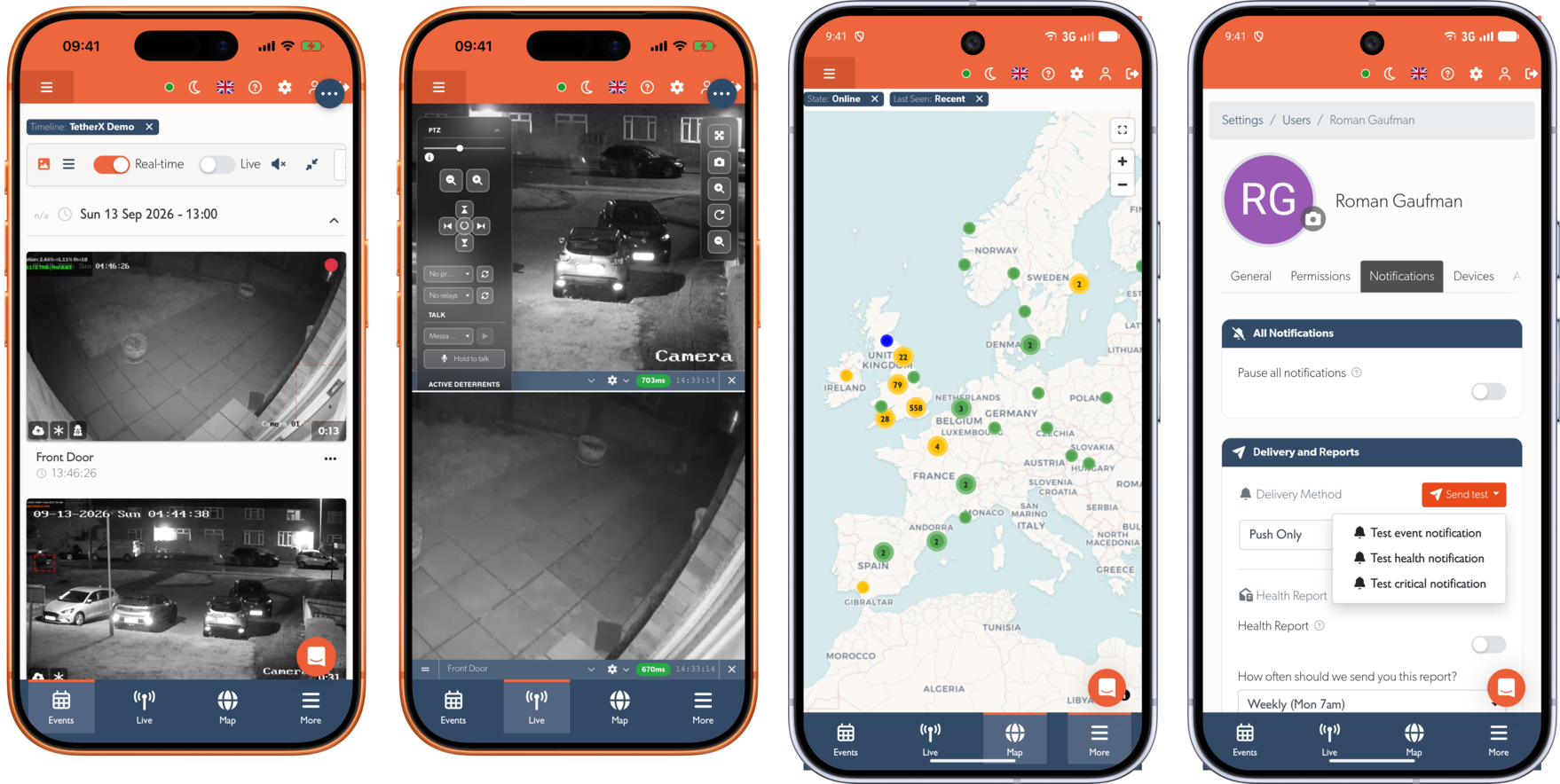
TetherX is available as a native app for iOS and Android. While the full web platform works in any mobile browser, the native apps provide a better experience with features that aren't possible in a browser.
The app shows the platform itself, so everything you use on a computer is there: events, live view, cameras, alarms and settings, laid out for the screen you are holding.
Download
 (opens in a new tab)
  (opens in a new tab)
Why Use the Native App?
Face ID, Touch ID & Fingerprint Unlock
Sign in once, then unlock with your face or fingerprint. No need to type your password every time you open the app. Enable biometric unlock in the app's settings.
Push Notifications with Custom Sounds
Receive push notifications when events occur, equipment goes offline, or alarms trigger. Alarms, health alerts and other events each carry their own sound, chosen from the built-in set or imported from your own audio file, so you can tell them apart without looking at your screen. Tap a notification to jump straight to the page it refers to, even if the app was closed.
Push is only available in the app; a mobile browser cannot receive one. See Push Notifications for setting it up, choosing sounds per platform, and what to check when a notification arrives silently.
On Android, an alarm is handled as an alarm rather than as a notification: it sounds through Do Not Disturb, follows the alarm volume rather than the notification volume, and opens full screen on the lock screen.
Pull-to-Refresh
Pull down anywhere to refresh the current page - a natural mobile gesture that isn't available in browsers.
Password Auto-Fill
The app integrates with your device's password manager (iCloud Keychain, Google Password Manager, 1Password, etc.) for quick, secure sign-in.
Save & Share
Download footage and event clips directly to your device, or share them via any app using the native share sheet.
Getting Started
- Download the app from the links above
- Sign in with your existing TetherX account credentials
- Optionally enable Face ID / Touch ID / Fingerprint in the app's settings
Tip: Use the same account credentials across web, iOS, and Android. Changes made on one device appear immediately on all others.
The iPhone and iPad app also signs in with a passkey, so Face ID or Touch ID replaces your password at the sign-in page itself. The Android app cannot use passkeys yet. Every way in is listed in Signing In.
Web Access
Prefer not to install an app? TetherX works in any modern web browser - no installation required. Sign in at https://app.timeline.is from any device with an Internet connection: the same address this page is served from.
Referenced in: